https://www.youtube.com/watch?v=U-OCdTeZLac&t=54s
The operating system sees the two disks as a single drive
RAID 0
- In RAID 0, there is no redundancy. If either drive fails, all data is lost, because parts of every file are on each disk.
- RAID 0 might increase the chance for data loss, if Redundancy is not configured RAID1
- Two identical hard drives, mirror every files.
- if one fails, inserting other drive will duplicate the later
- High reliability; easy recovery RAID2
- For Error correction but Complex & obsolete
- Error correction RAID5
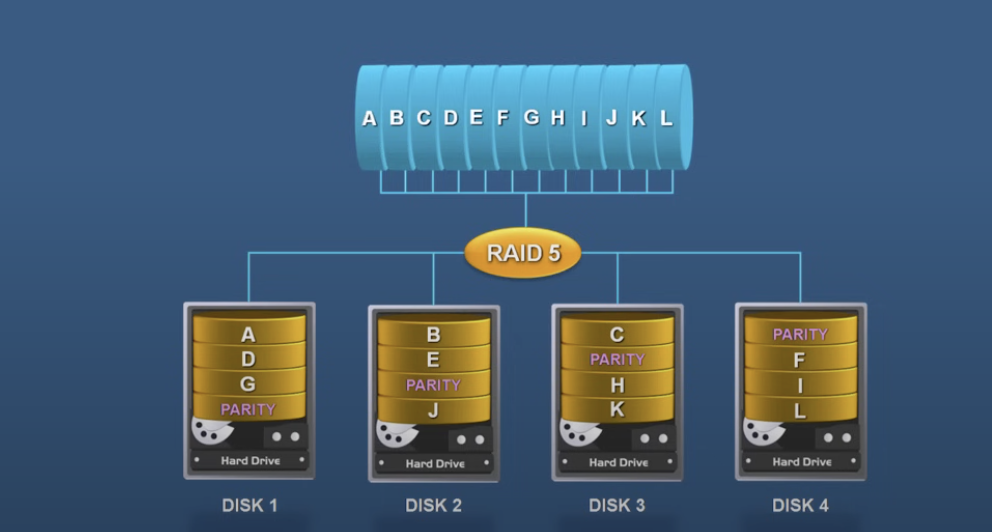
- You’ll need 3 or more drives
- Striping with parity. Parity is something, that can be used to rebuild the storage in case of data loss
- If 4 disks of 4TB is used; only 3TB is used for actual storage
 RAID10
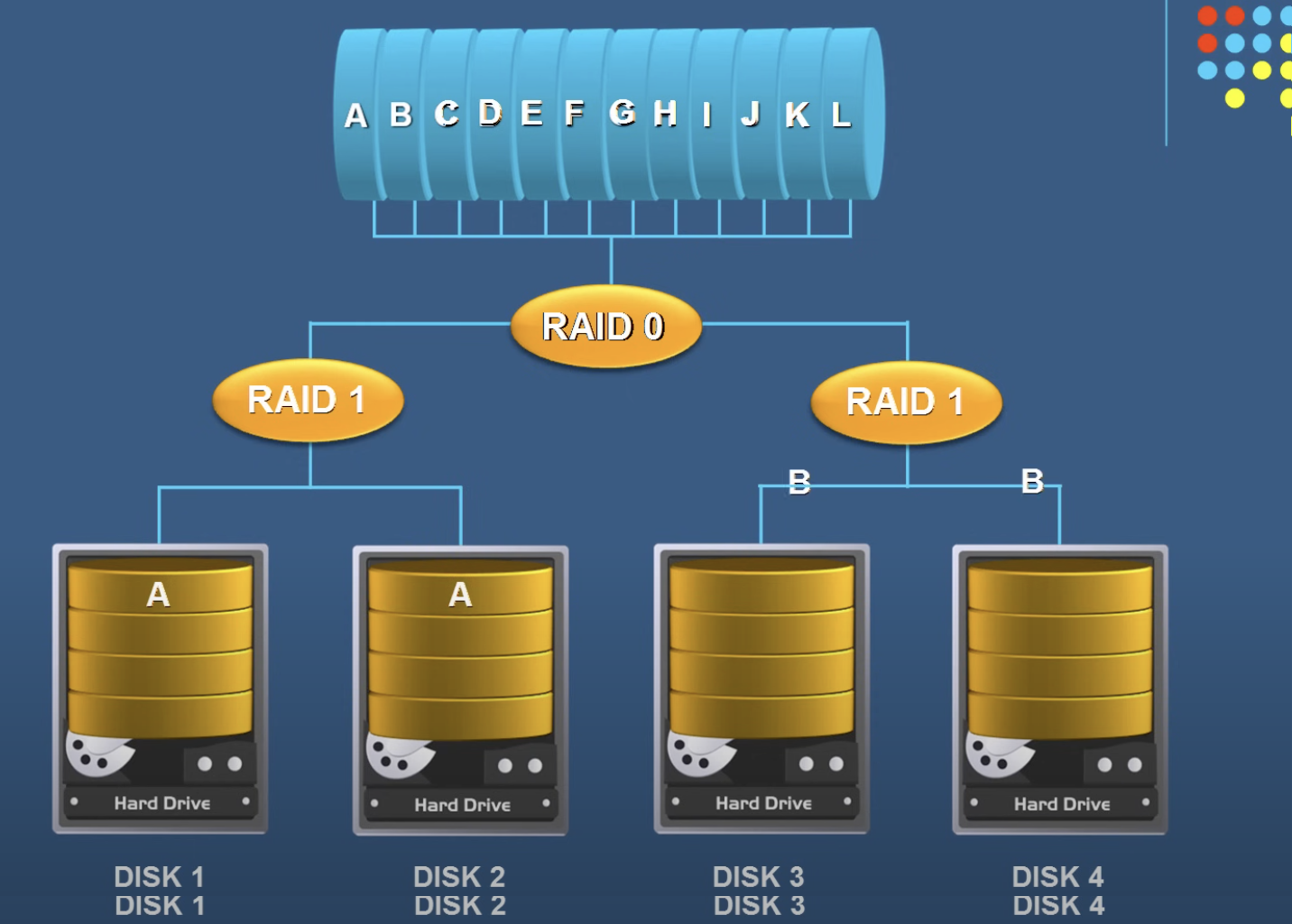
 - RAID10 is RAID0 and RAID1
RAID6
- Any two drives can drive.